Editing Entries
All you need is a GitHub account (sign up).
Good reference materials are the Writing Guide and the example entry of the Avocado Lab webpage which is rendered from this file.
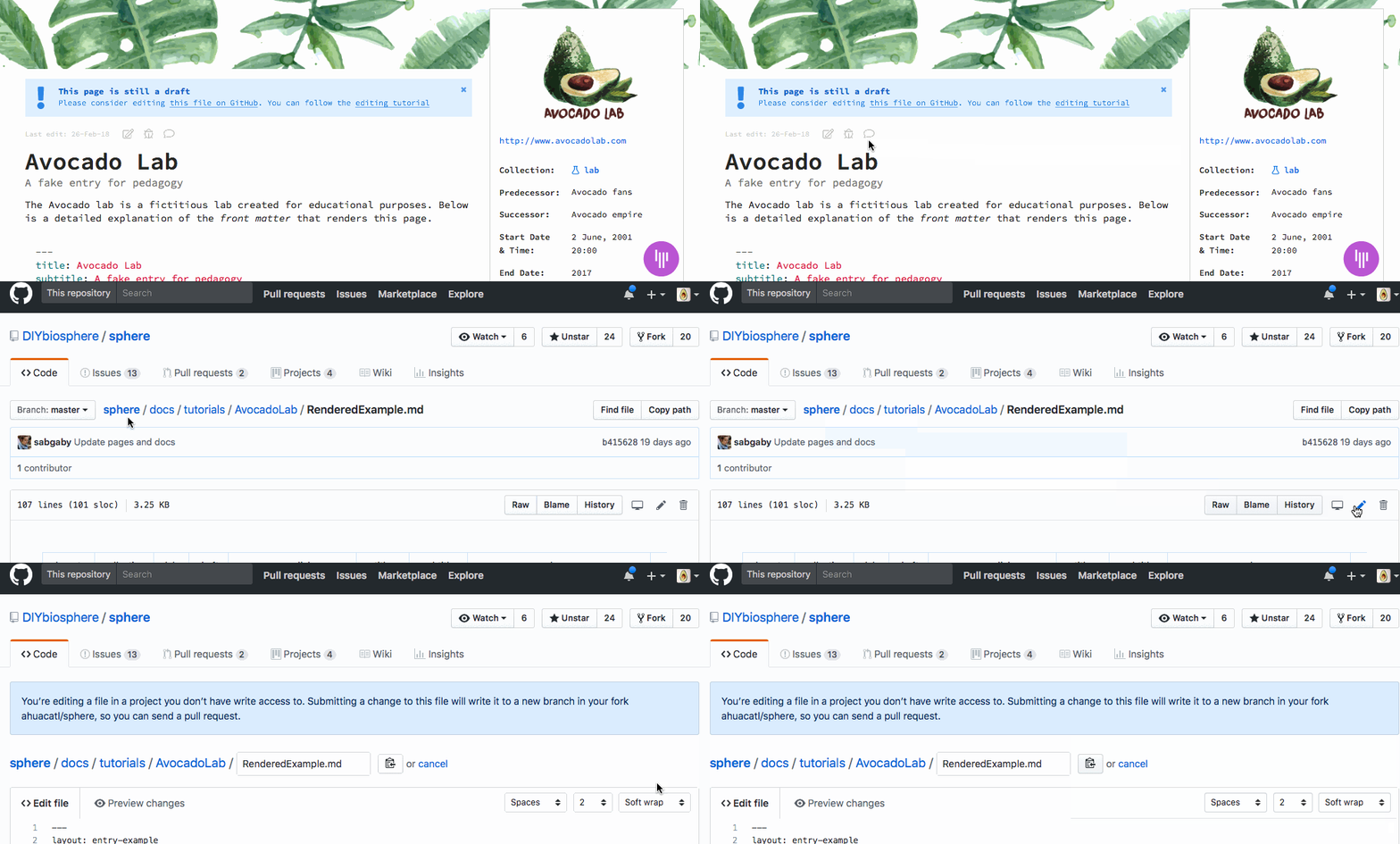
- Go to page you want to edit: Above the title of the entry click the icon, which will take you to GitHub.
- Select edit button: The pencil icon . GitHub will let you know you don’t have ‘write’ access to the project — that’s expected, everyone contributes this way. A new file will be saved under your copy of the project (i.e. a ‘fork’) and can later be merged with a ‘pull request’.
-
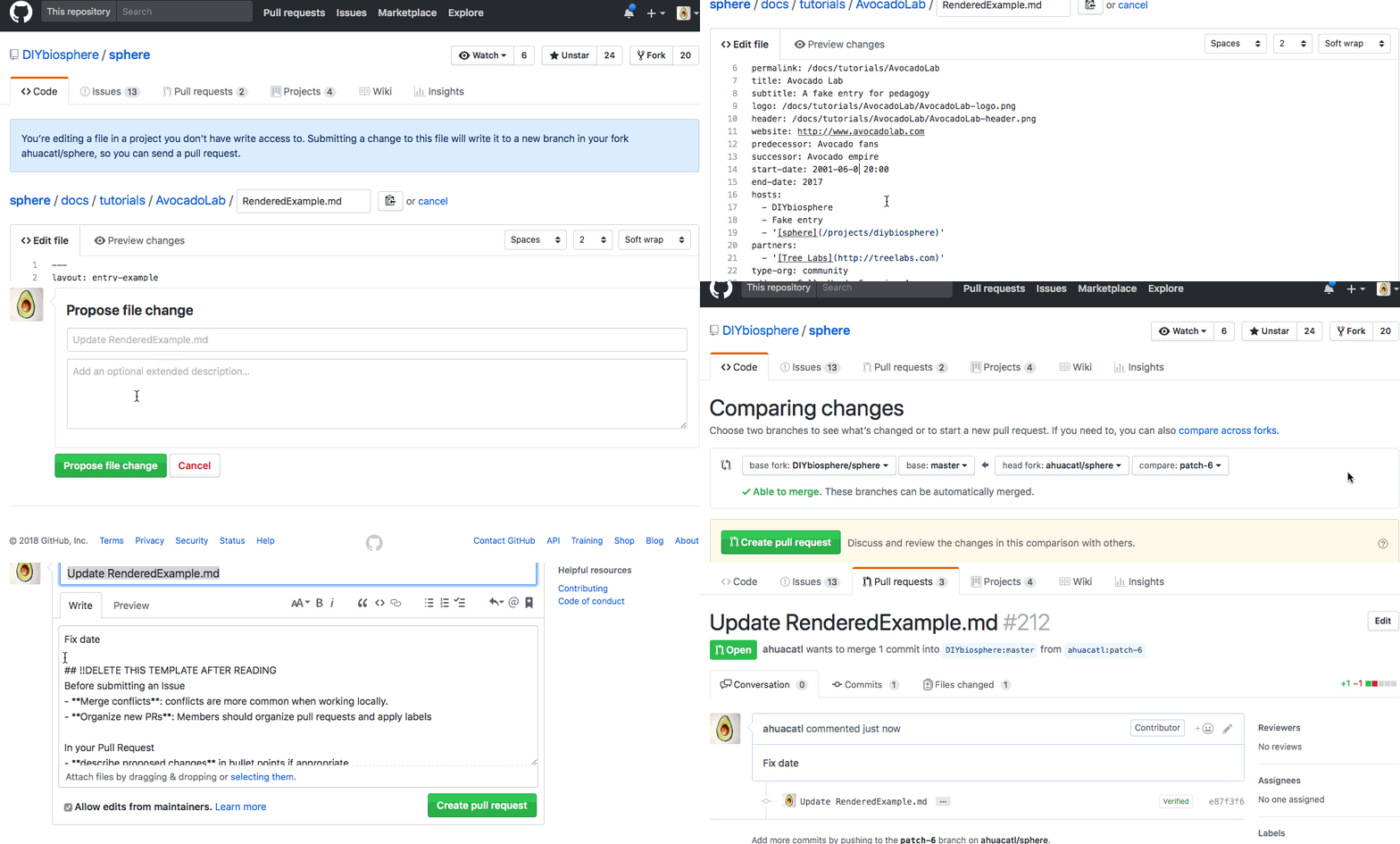
Edit content: Make changes to the front matter (data keys in between
---) and update the entry in markdown text. ThePreviewmarkdown will only render the text and the front matter will be inside a two row table - Select Propose file change at the bottom of the page, when you are finished editing,
- Select Create Pull Request if you are able to merge. You can add additional comments to your pull request
- Wait for Review A maintainer will review your Pull Request (PR), request additional edits from you, or approve and merge it.
Rejoice! your new entry is now part of DIYbiosphere! 
Thank you for your contribution! 