Adding Entries
All you need is a GitHub account (sign up).
Good reference materials are the Writing Guide and the example entry of the Avocado Lab webpage which is rendered from this file.
Quick start
Not sure which collection fits your initiative? Pick the closest one below — a maintainer can always move it during review. Clicking a link below takes you straight to a new file on GitHub, already named and pre-filled with the entry template, skipping steps 1-4 below:
You’ll still need to rename the placeholder folder/file name to match your initiative (keep the .md at the end), fill in the template, and continue from step 5 below.
Step by step
- Open Collection Folder: inside the sphere repository (first determine in which collection your initiative belongs to)
- Select Create New File: GitHub will let you know you don’t have ‘write’ access to the project — that’s expected, everyone contributes this way. A new file will be saved under your copy of the project (‘fork’) and can later be merged with a ‘pull request’.
-
Name your new file: Add a folder first, preferably with the same name of your initiative using
CamelCaseand specify the format at the end as.md, e.g. ‘AvocadoLab/AvocadoLab.md’ (the name of the file will be the URL of the entry, so don’t use a long name!)
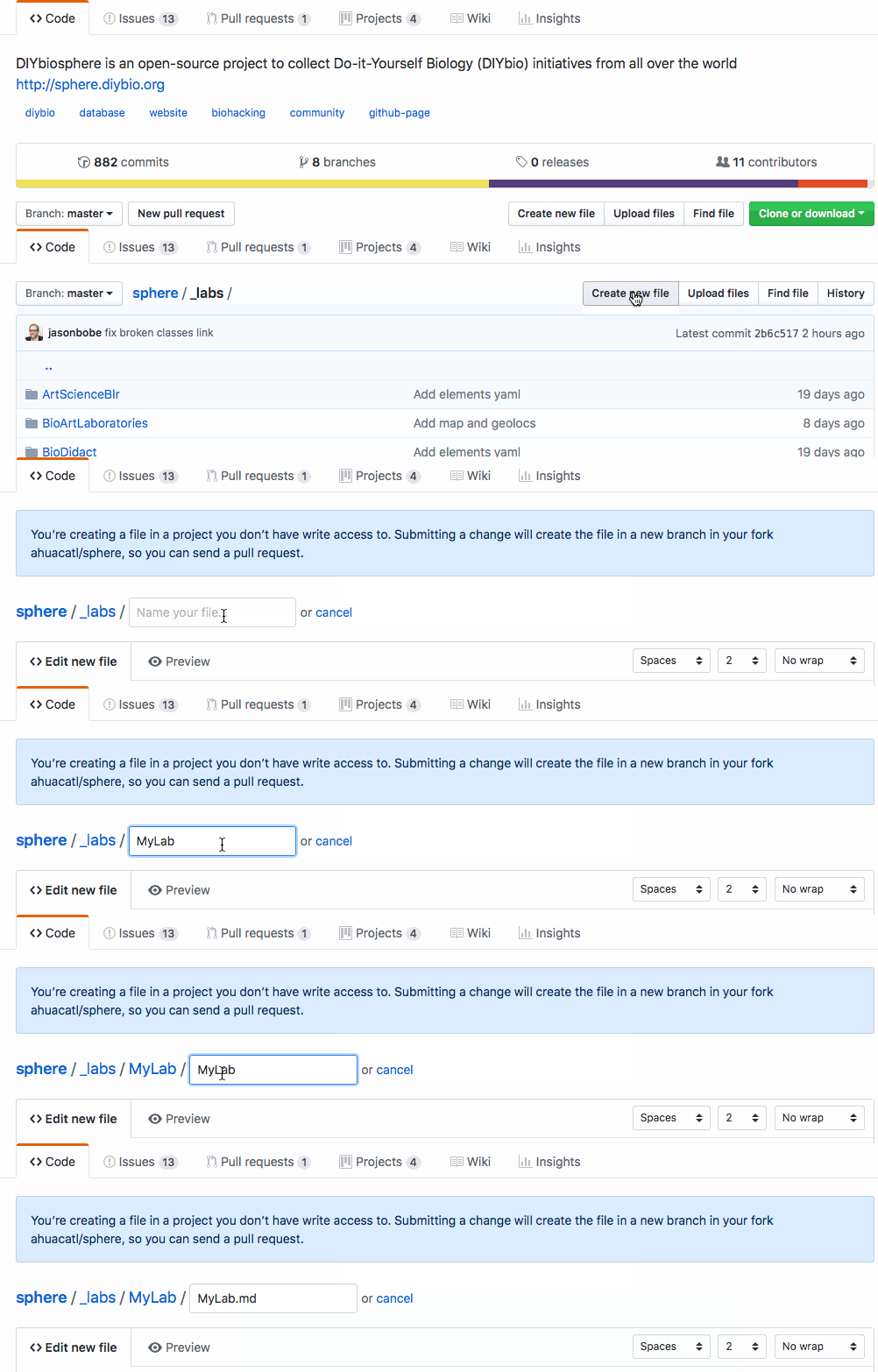
- Copy and Paste EntryTemplate: open the EntryTemplate, select all, copy, and paste into your new file. Alternatively, use the CompleteTemplate, or base off the AvocadoLabFile as a more concrete example
-
Edit content: Fill in the front matter (data keys in between
---) and write the rest of the entry in markdown text. ThePreviewmarkdown will only render the text and the front matter will be inside a two row table. - Select Propose new file at the bottom of the page, when you are finished editing
- Select Create Pull Request if you are able to merge. You can add additional comments to your pull request
- Wait for Review A maintainer will review your Pull Request (PR), request additional edits from you, or approve and merge it.
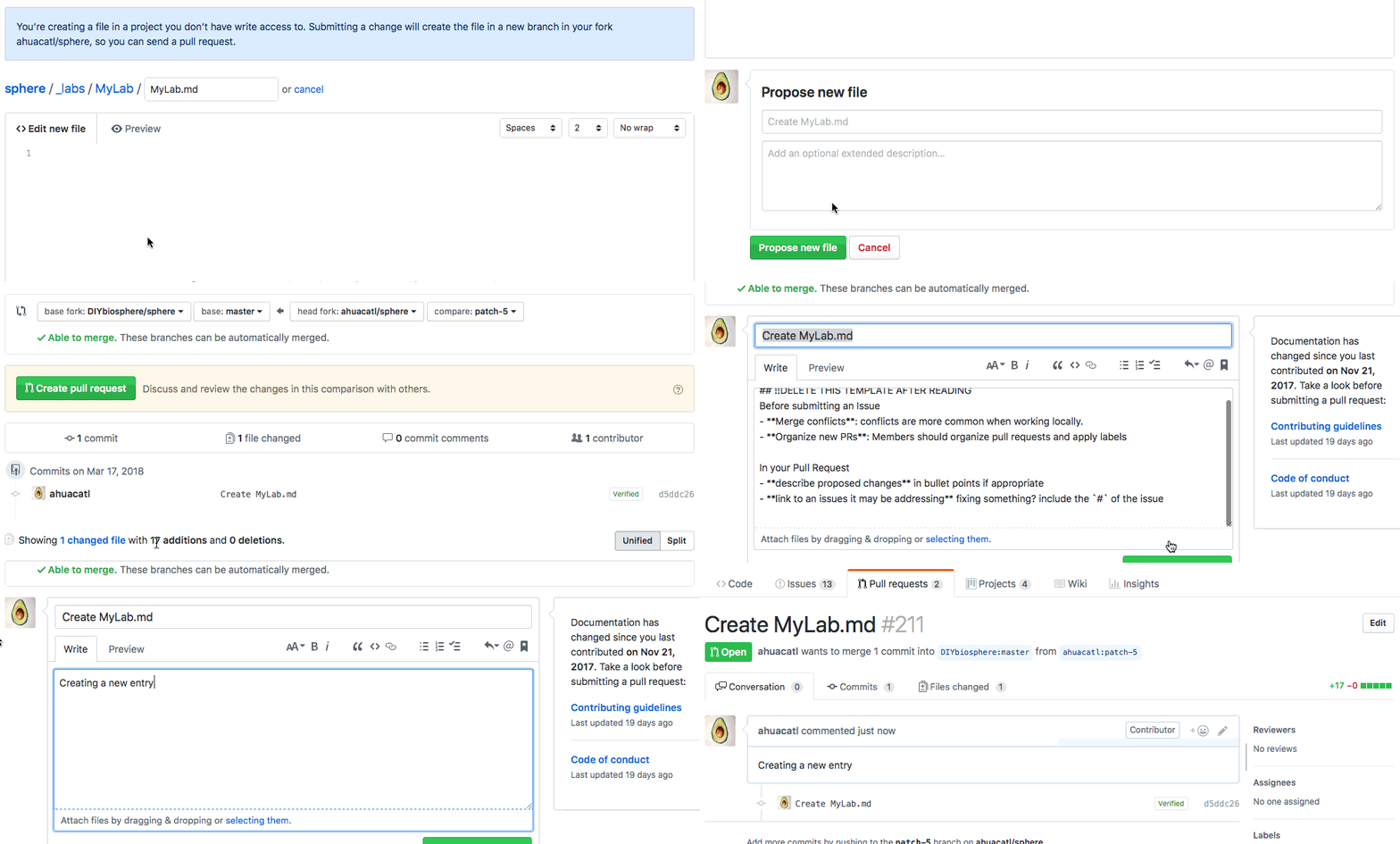
Rejoice! your new entry is now part of DIYbiosphere! 
Thank you for your contribution! 